Desktop app · Mac, Windows, LinuxFreev0.4.0

PDF Toolkit On your computer, not in the cloud.

Sign a contract, fill in a form, merge three scans and make them searchable. All in a free app with no account, that works offline too.

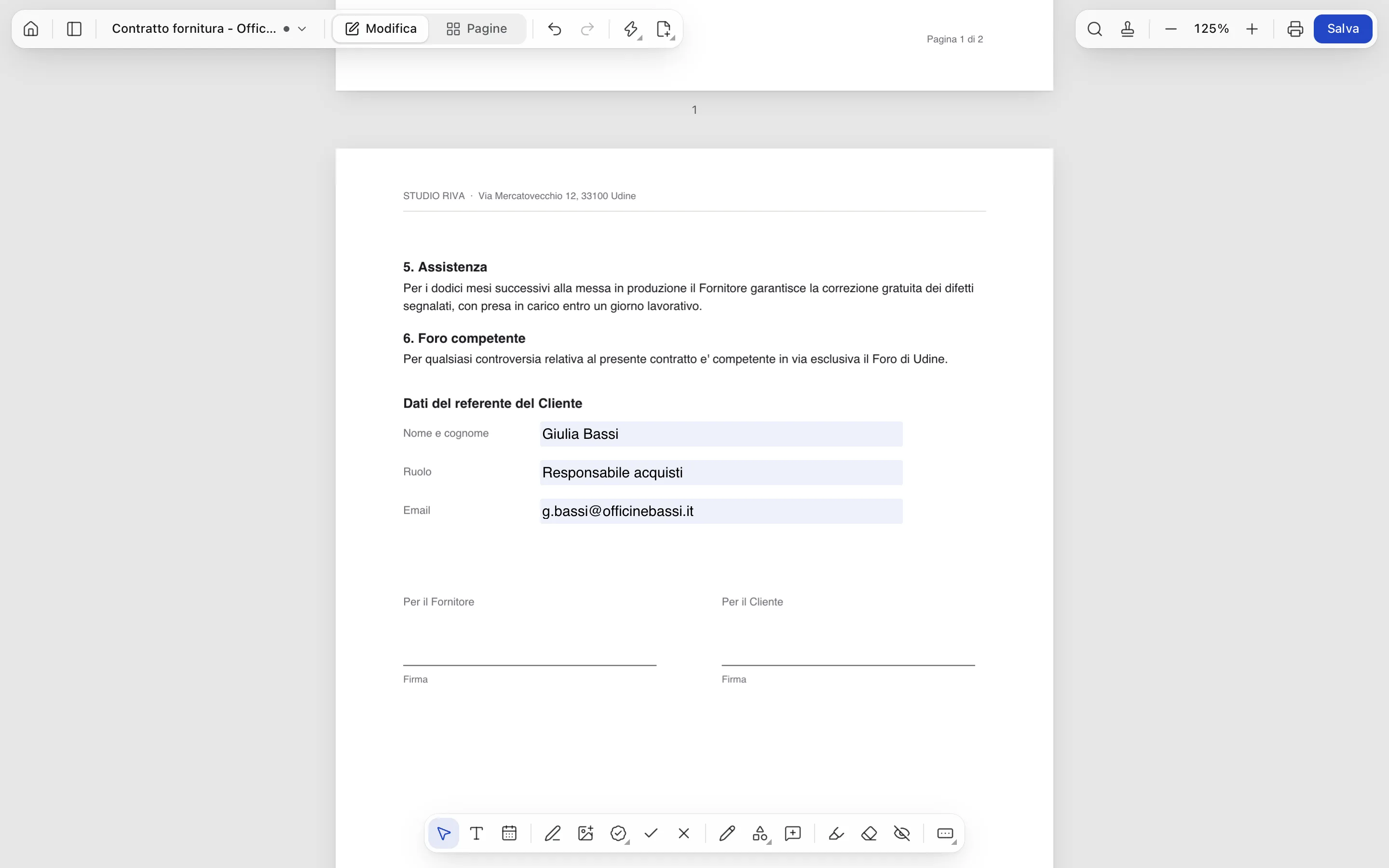
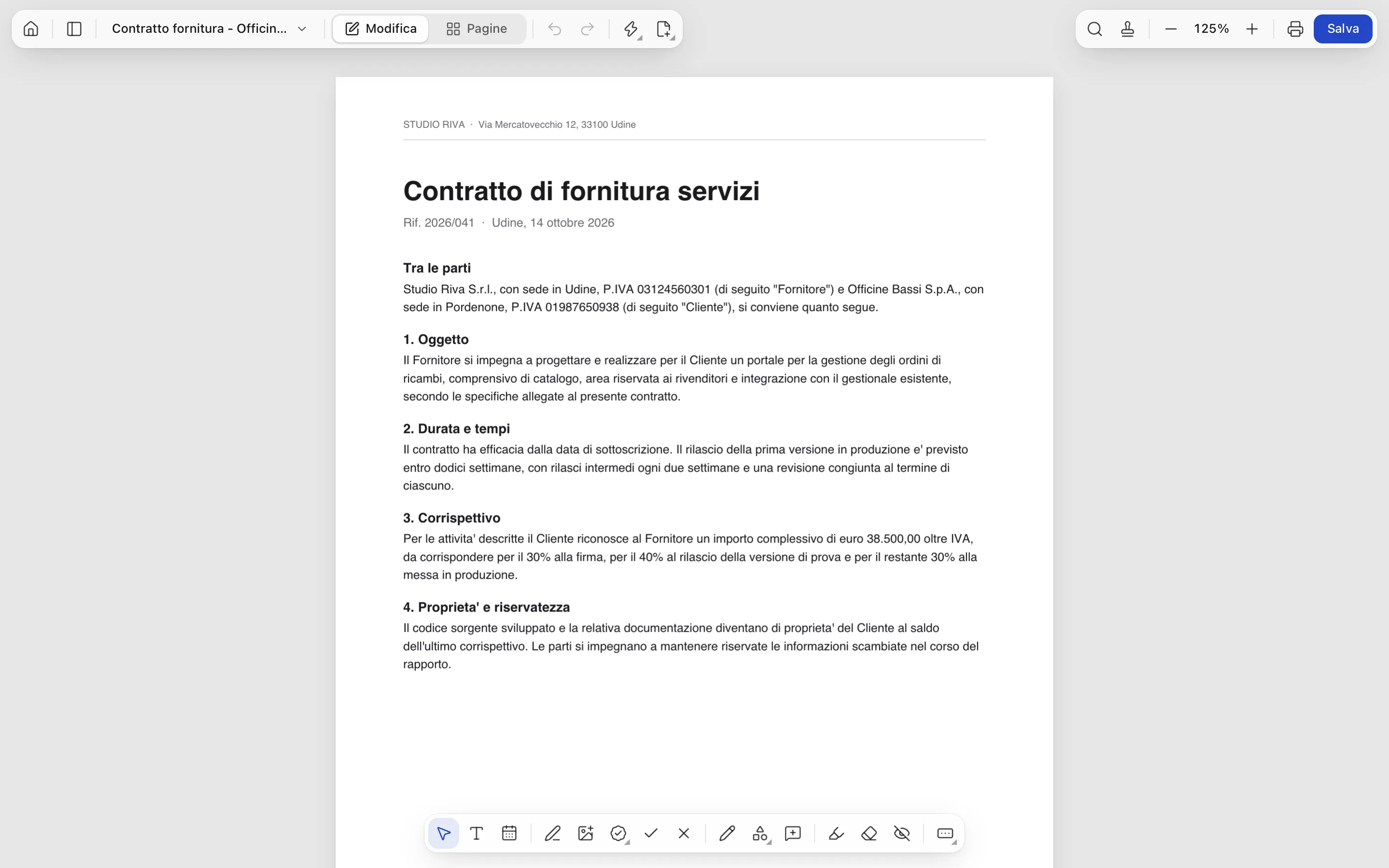
PDF Toolkit with a contract open in the editor
Supply_contract.pdf · opened locally
  • Offline

    Your documents never leave your computer.

  • Free

    No account, no subscription.

  • OCR

    Italian and English, no internet needed.

  • Self-updating

    New versions arrive on their own.

01 — What it does

Everything you do with PDFs, without uploading them anywhere.

01

Sign and edit

Draw your signature once and find it ready every time. Add text, dates, stamps, ticks and images; highlight, or truly redact what shouldn't be seen: the content underneath is removed.

  • Saved signatures, drawn or from an image
  • Stamps, ticks, arrows and freehand pen
  • Real redaction, not a black box on top
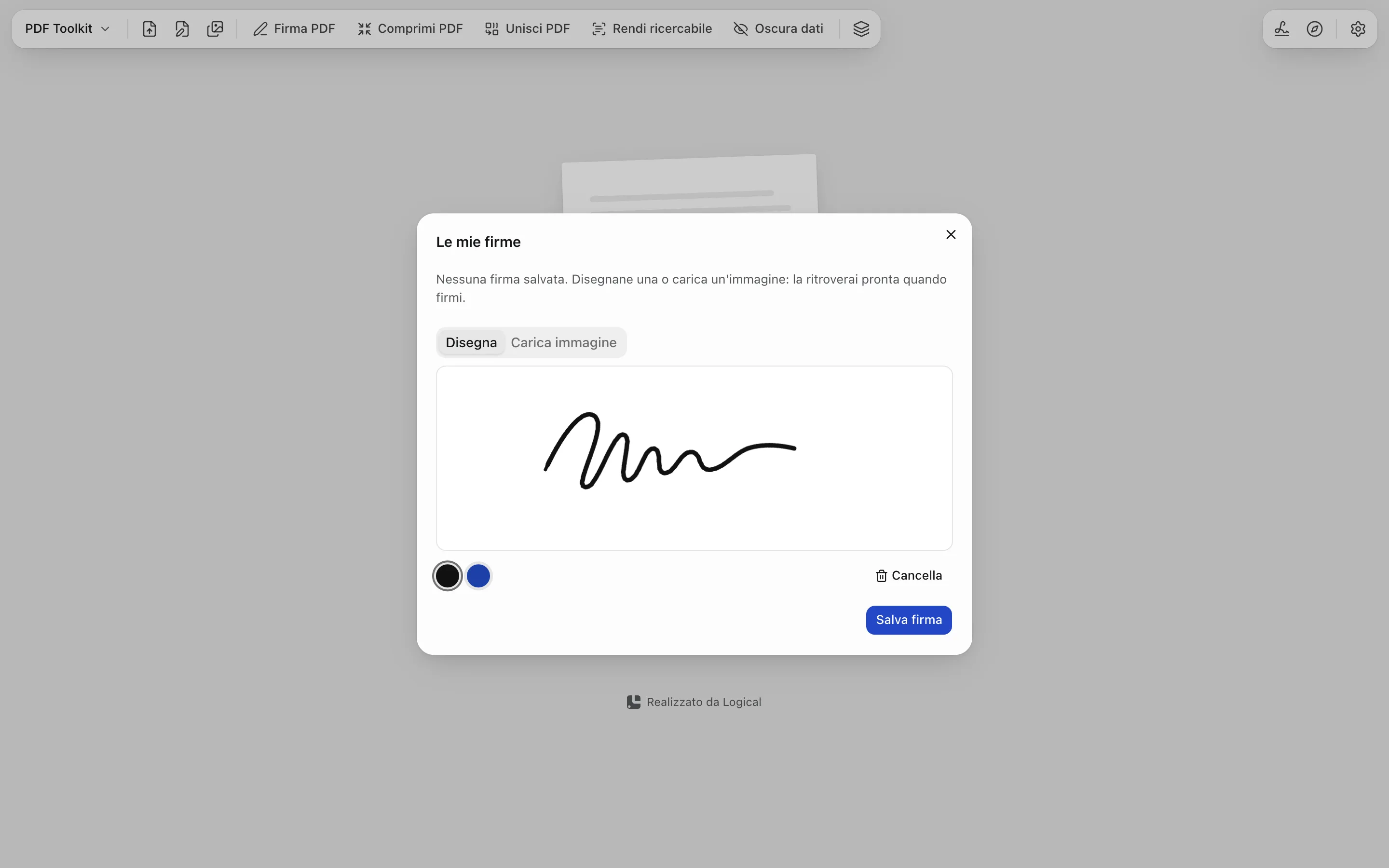
The My signatures window in PDF Toolkit with a drawn signature
02

Forms

Fill in a PDF's fields like a web form, or add new ones where they're missing. What you type stays a real field, readable by whoever gets the file.

  • Text fields and checkboxes
  • Create fields where the PDF has none
  • Search the text with ⌘F
A contract with the contact details form filled in
03

Pages

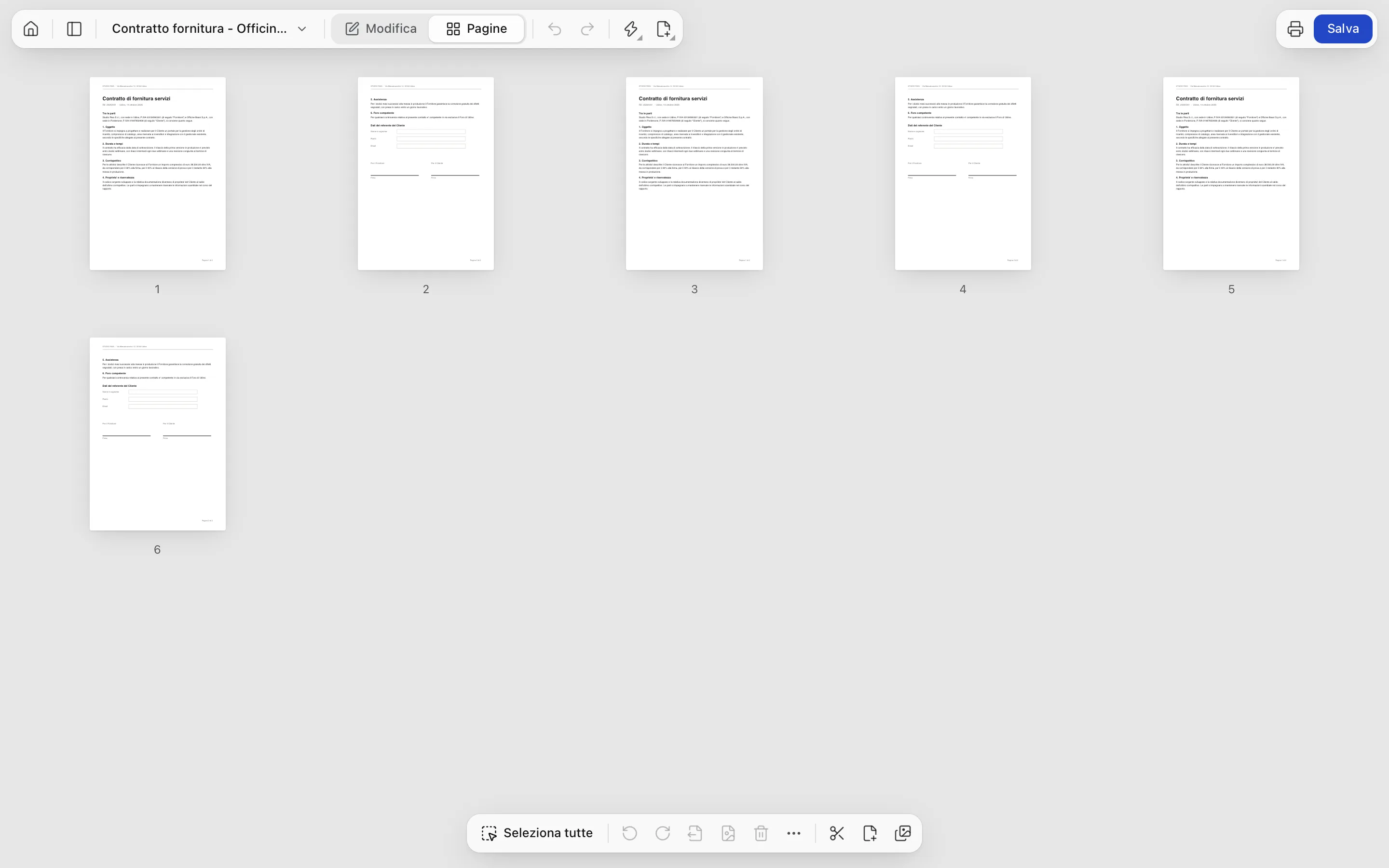
Reorder, rotate, delete and duplicate pages by dragging them. Merge PDFs, split a bundle, extract just what you need, or turn a set of photos into a PDF.

  • Merge, split and extract
  • Crop margins, find blank pages
  • Images to PDF, PDF to PNG
The Pages view with six pages in a grid
04

Documents

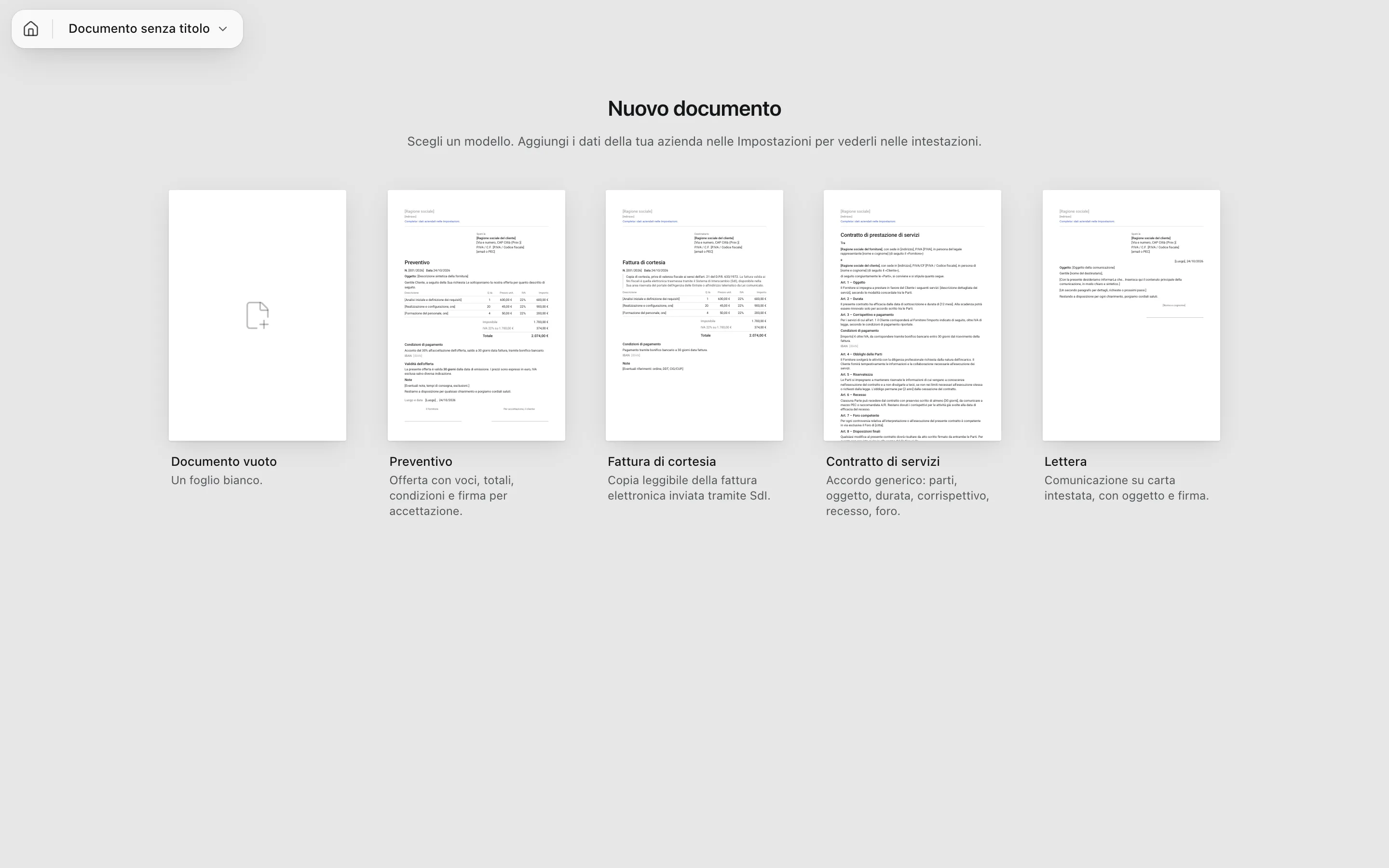
Quotes, courtesy invoices, contracts and letters start from a template with your company details already in the header. Export them to PDF and sign them in the same place.

  • Ready templates and reusable blocks
  • Line items with totals and VAT worked out
  • Export and sign without switching apps
Choosing a template: quote, courtesy invoice, contract, letter

02 — Everything else

The tools you need once a year.

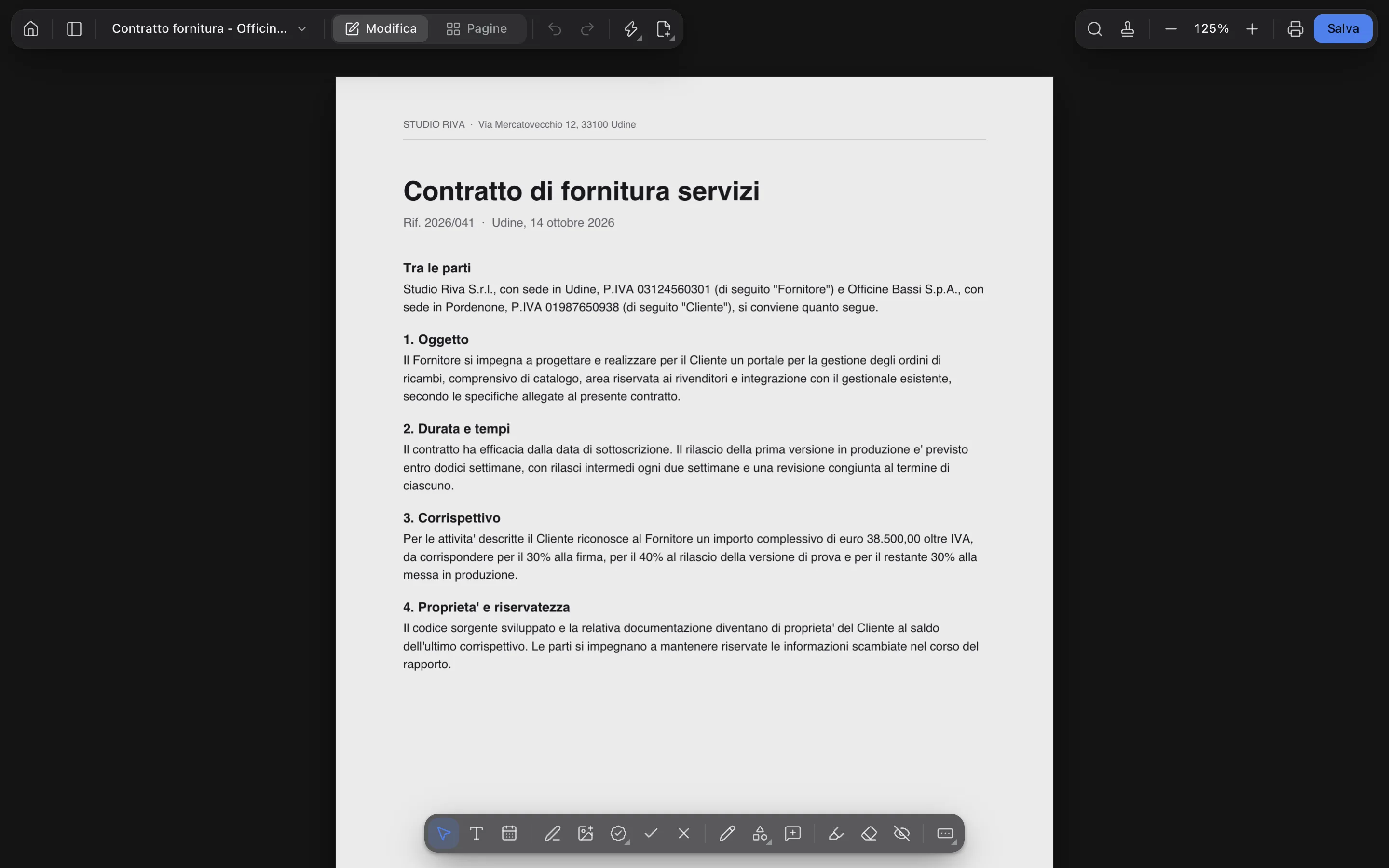
PDF Toolkit in dark mode with a contract open
Light or dark, following your system.
  • Scans

    Straighten pages, whiten the background and make text searchable with offline OCR.

  • On every page

    Page numbers, header, footer and watermark in one go.

  • Save as

    Compression, password, print and copy limits, PDF/A for archiving.

  • Compare

    Two versions of the same PDF, side by side.

  • .p7m files and XML invoices

    Open digitally signed envelopes and Italian e-invoices.

  • AI assistants

    A local MCP server, off by default, to work on the PDF with Claude.

03 — Privacy

Your files stay yours.

No uploads, no account, nobody reading your documents. PDF Toolkit works on the files on your disk: a signed contract doesn't need to pass through a server to become a signed contract.

04 — Download

Ready in a minute.

The button picks the right file for your system; the arrow lists all the others. Once installed, the app updates itself.

On macOS the app isn't signed by Apple yet: the first time, right-click the app, choose Open, then Open again. From then on it updates itself.

Custom-built

Need a tool of your own?

Shush and Logical AI were born from a real problem. If you have one too, let's talk: we'll tell you what we'd build and what it costs.